The Box That Was Not a Box
Second Chance has a takeaway delivery gig in it now. A leaflet comes through your door on day two, you rent an eBike for a fiver a day, and when a job comes up you race two other riders to the counter for the bag. Nobody hands it to you. The bag sits on the counter and the first rider to physically get there picks it up, stows it in the top box and rides off.
That race is the part I am most pleased with, and it is the part I do not think GTA 6 will give anybody. A delivery job in a game that size arrives as a mission: a marker, a timer, a cutscene, and a character with opinions about your cousin. Mine is a job. The rival riders route on the road network, because that is how you write a sensible NPC. I know the alley behind the chip shop terrace and the dirt track along the railway, and so will anyone who has spent a week in this town. The gap between the road route and what you actually know is the whole skill of the job. It only works because the whole map is 100% free roam and everything in it is interactive and walkable - no invisible wall quietly making you go the long way round for pacing reasons, no forced relationship, no narrative telling you how you felt about it afterwards. You are yourself, in first person, and you can go online, do one drop, decide you cannot be bothered and go fishing instead.
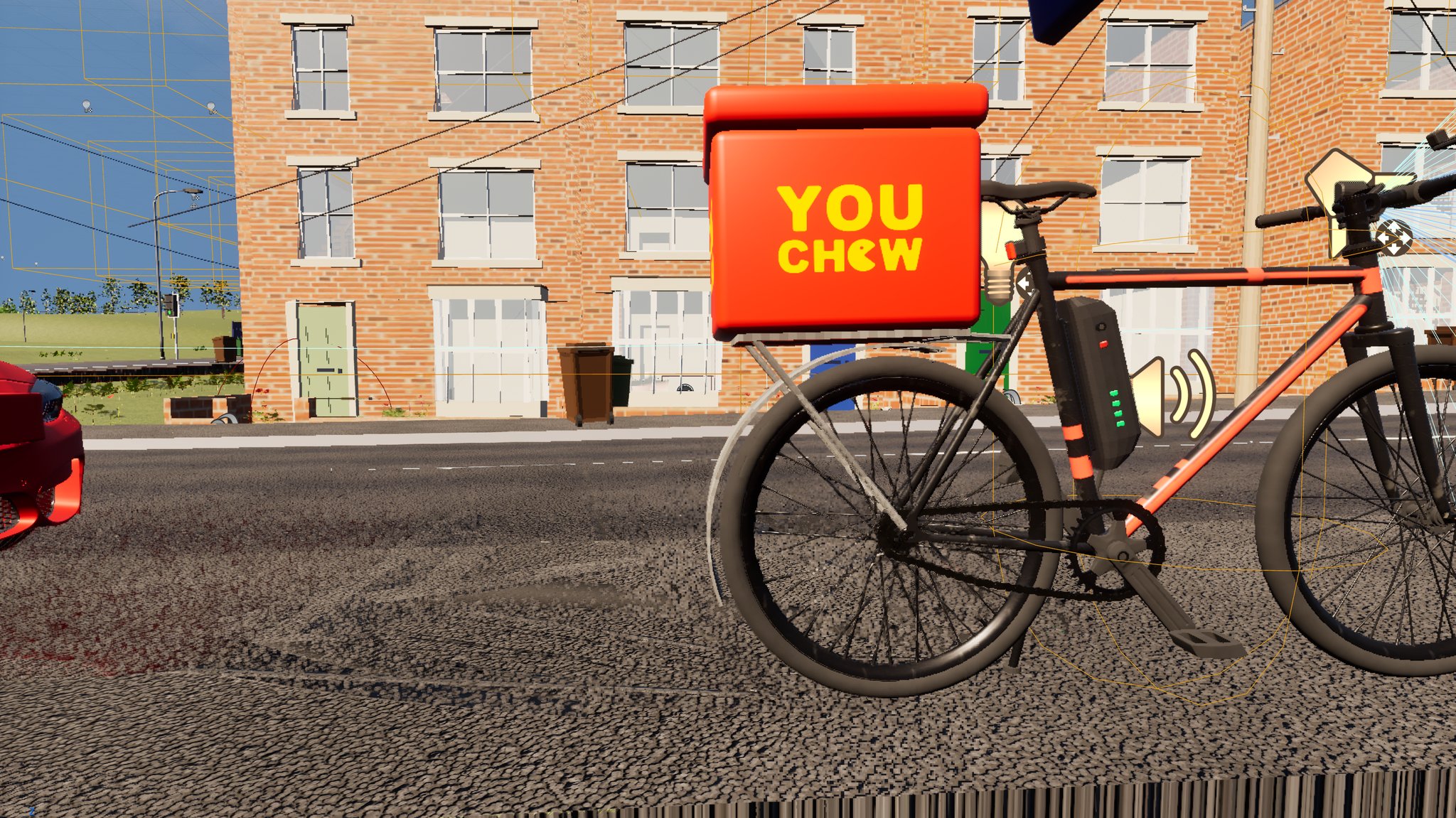
Yesterday was not the loop, though. Yesterday was the stuff: a top box, a paper carrier bag, a rear rack and mudguard, and a courier jacket for the rider himself. Four objects. Four separate silent failures. I work through an AI agent driving the editor - Claude with an MCP server plugged into Unreal, plus headless Blender for the props - and not one of those four faults announced itself to either of us. Every one was found by somebody looking at a picture.
A mesh built in Blender imports into Unreal Engine 5.8 inside out
The top box came out of a Blender script. I have the agent generate most of the small props that way, because a script is re-runnable and my modelling is not. It imported at the right size, with the right materials, with collision, with the logo on it. Every check came back green, and the agent told me so with some confidence.
Then I actually looked at the render, and it was a box you could see straight through.

237 of its 241 vertex normals pointed inwards. In the level it rendered with no near faces at all - you looked through the front of the box and saw the inside of the back panel and the underside of the lid. I said, more or less, "I think that's an inside out mesh", which is the sort of thing thirty years of looking at 3D gets you, and the agent agreed instantly and went and proved it. It just had not been the thing it was checking.
The cause is two lines of Blender code that look completely reasonable side by side:
# every quad in the hand-written box() helper is wound backwards
bm.normal_update()          # recomputes normals FROM the winding
normal_update() does not make normals point outwards. It makes them agree with the winding, and if the winding is backwards it faithfully computes a backwards normal for every single face. The fix was one line, before it:
bmesh.ops.recalc_face_normals(bm, faces=bm.faces[:])Here is the bit worth stealing, and it is a lesson for anyone letting an agent verify its own work. Before I looked at it, three checks had been run and written up as three independent checks now agree. That sentence was perfectly true and completely worthless, because all three were checks of the same property:
| what was checked | why it cannot see an inverted mesh |
|---|---|
| the UV layout, read back out of the engine | UVs are a per-vertex attribute; flipping winding does not touch them |
| a rendered preview of the asset | the preview material renders interior surfaces perfectly happily |
| the asset thumbnail | too small to read, and already dismissed for that reason |
Three checks of one property is one check. An agent will cheerfully stack those up and call it a consensus, and if you are only reading its summary rather than the screenshot, you will believe it. The test that actually catches this takes six lines - pull the section back out of the imported mesh and dot each vertex normal against the direction from the mesh centre out to that vertex:
v, t, n, uv, c = unreal.ProceduralMeshLibrary.get_section_from_static_mesh(mesh, 0, sec)
cx = sum(p.x for p in v)/len(v); cy = sum(p.y for p in v)/len(v); cz = sum(p.z for p in v)/len(v)
# per vertex: dot((p - centroid), n[i])  -  mostly > 0 = outward, mostly < 0 = inside out
Mostly positive is outward. Mostly negative is a box you can see through. It only holds for roughly convex shapes, and a handful of inward normals is normal - the corrected box still reads four inward out of 240.
The inversion had a second victim neither of us would have connected to it. The script picks which face gets the wordmark by matching each face's normal against a list of panel directions. With every normal flipped, the face whose true outward direction was forwards claimed to be backwards, matched first, and got the print. The logo had been printed on the panel facing the rider's back. So the earlier confident note that the branding "already points backwards" was never a measurement at all. It was an assertion that happened to read like one, which is a distinction I have started caring about a great deal.
About 23 other generator scripts in this project are missing that same line. I have told the agent explicitly not to "fix" any of them, because a missing call does not prove a mesh is wrong, and I have been burnt before by a tidy-up pass that changed twenty things to solve one. It is a lead, not a verdict.
Fitting a rear rack to a bike mesh when nobody knows the wheel radius
The bike needed a rear rack and a mudguard to hang the box off, and both need one number: the radius of the back wheel. It is a third-party model. Nobody ever wrote the number down.
It came out wrong three times, and every wrong answer looked convincing.
- A naive circle fit gave a radius that worked out at a 3 metre wheel. Caught only by
somebody thinking about it in real-world terms for two seconds.
- A robust fit gave a lovely low error - a median residual of 3.4%. It was a **good fit to
the wrong thing**. The rim has 891 vertices and the tyre has 72, so least squares obediently followed the rim and reported success.
- An earlier attempt had printed a 38% residual in its own output, and nobody read it.
The answer came from a histogram of vertex distances from the hub centre, which averages nothing - you get three separate spikes for hub, rim and tyre, and you take the outer one. Then the check that made me believe it: two independent methods agreeing. Tyre centre height plus radius came to 4.470, and the maximum of the mesh's own vertical profile was 4.460. Different calculations from different data, so their agreement means something. A low residual only ever proves the fit found something.
Then I made the one call that saved the job: bolt it to the frame, not the wheel. Daft in hindsight - the wheel goes round - but the first two attempts had silently anchored struts to a spoke and to the hub, because the code was picking "nearest vertex to here" out of a soup that still contained the entire wheel. The fix was to delete the whole wheel disc from the vertex set first (3,464 frame vertices survive out of 5,552) and take the anchors from what is left, with an assertion at build time so it can never quietly happen again.
One more geometric banana skin, because it cost four struts hanging in fresh air: the maximum width of a band of vertices is its maximum across the whole length of that band. Measure how wide the frame is anywhere along the seat stays, then use that number where the strut actually lands, and you get a strut floating next to the bike looking very pleased with itself. Measure the extent at the point you are anchoring to.
The materials say they are bound and the mesh still ships as engine grey
Three meshes in a row - box, bag, rack - imported wearing the default grey checker, while the script cheerfully reported the materials as assigned.
One API call does nothing at all:
mesh.set_editor_property('static_materials', slots)   # returns fine, binds nothing
mesh.set_material(i, mat)                             # actually works
That trap has been in this project's own reference notes since early August. The agent did not read that note, because it was reading the notes for the thing it expected to be hard. Read the reference row for what you are doing, not the rows you predicted you would need
- which turns out to be as true for me as it is for the machine.
Worse than the bug is how it survived being verified. Twice. The check logged the value it had just tried to set, rather than reading it back off the asset, so it printed the answer we wanted straight out of a variable in our own script. And the corrected version was then re-run against a mesh that was already fine, which produced a beautiful pass. A no-op running on already-correct data is indistinguishable from success. If a fix is worth checking, check it on the broken thing.
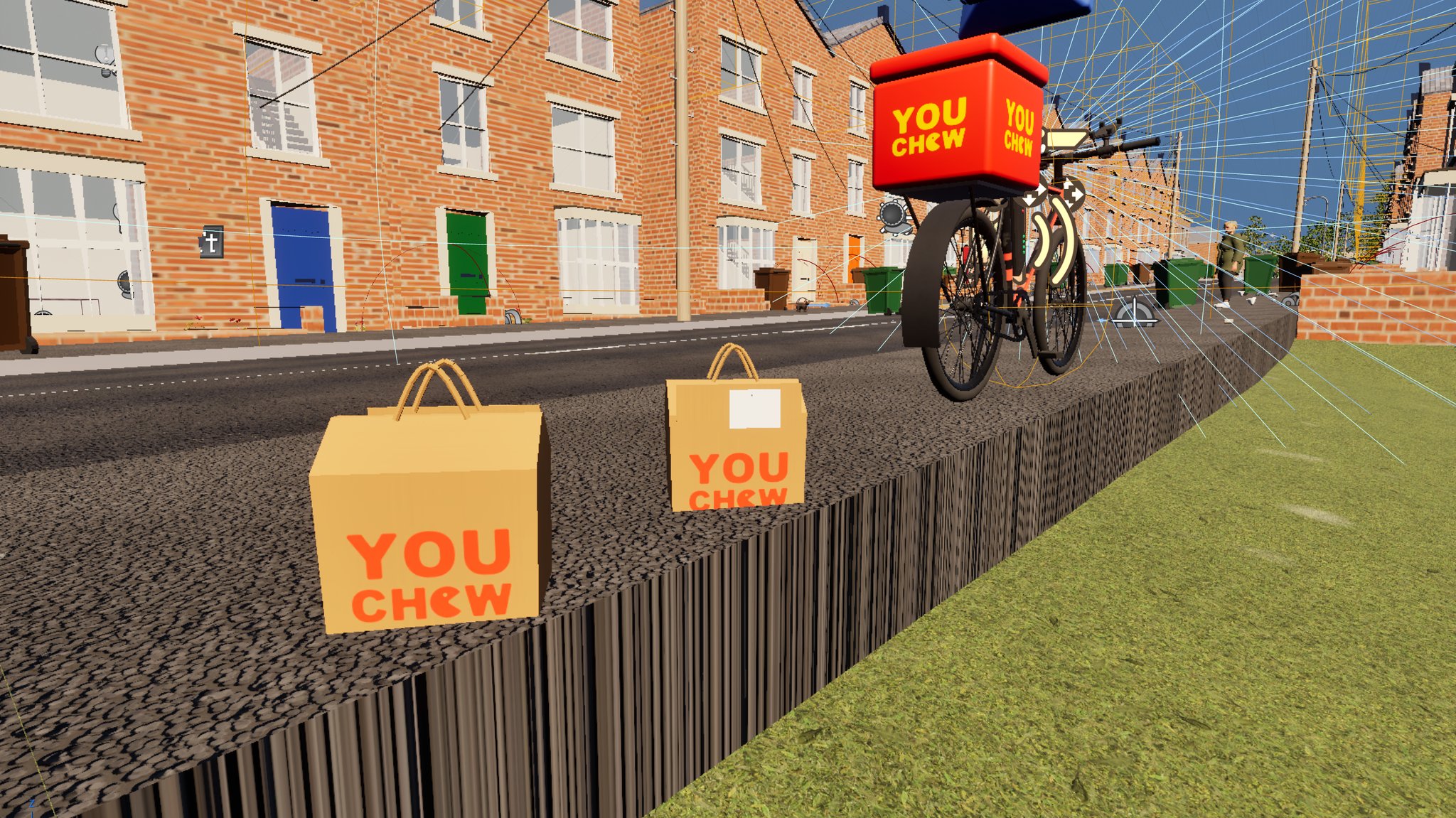
The bags themselves are a small thing I am unreasonably fond of. They sit on the counter, you pick one up, it goes in the box, and it comes back out at the door.
Printing a logo onto a MetaHuman jacket in UE 5.8 and getting nothing at all
The rider is a MetaHuman in techwear, and I wanted him branded properly: red at the top, yellow below, black trim, wordmark on the chest and both sleeves.
The clothing material from the asset pack exposes three print slots. They are not interchangeable, and nothing anywhere tells you that. They are wired into different colour layers of the garment, so the slot you pick decides where a graphic can appear at all:
| slot | where it can appear |
|---|---|
| the "graphic" slot | the black trim only |
| print slot 1 | a fabric layer that is not visible on this garment |
| print slot 2 | the red yoke and sleeve tops - the one we needed |
| - | the yellow body takes no print from any slot, ever |
A badge in the wrong slot is invisible, with no error - not in the material, not in the log, not in a parameter read-back. We burned four separate "the logo isn't showing" diagnoses shuffling the badge around his chest before the slot turned out to be the whole problem. That was the most demoralising hour of the day, and the moment the wordmark finally appeared on his chest I actually said something out loud.
The rule that came out of it is worth the entire session: if a print does not show, flood the slot before you move the badge. Set that slot's map to one flat unmistakable colour at full opacity and look at the render. In one pass you see the slot's whole reachable area, and either your badge is inside it or it never could have been.
Two more traps sit underneath. Each slot is gated by a static switch that defaults to off, and its tiling value defaults to zero, which collapses the texture to a single pixel. Turn the strength up on its own and you get precisely the same nothing.
Even in the correct slot the badge has to sit entirely within the yoke panel. A ladder of five test badges down the chest found the boundary: three heights render, two do not. The first attempt straddled it and the jacket came back reading "YOU" with "CHEW" simply missing, which looks exactly like a broken texture and isn't.
Then the orientation. The agent reasoned very carefully that the stamps had to be mirrored, and backed it with a triangle-winding handedness test that agreed three to one. The jacket came back reading UOY / WEHC. I spotted that in about a second, and I would like to say I was gracious about it. There is now a per-stamp flip flag in the baker: bake it, look at it, move on. The only proof of a texture's orientation is the render. It was derived twice, with maths, and it was wrong both times.
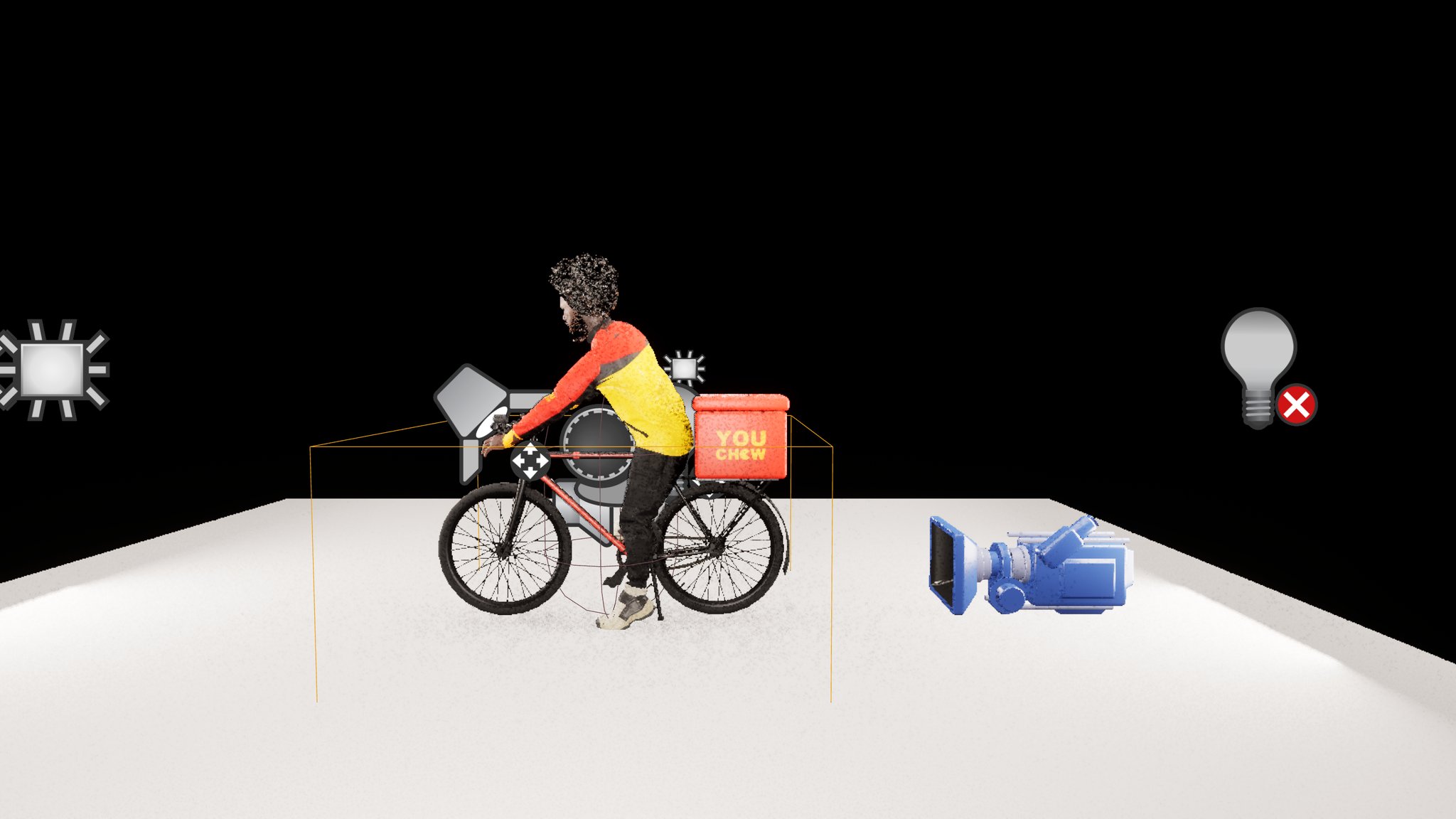
One thing I asked for and could not have: a proper V-shaped yoke instead of the shallow curve. The V went into the mask, was verified in the source image, imported byte-identical - and the render moved the boundary about three centimetres instead of the twenty-one it was drawn at. That line is a seam between two mesh panels, not a mask edge. Diagnostic stripes across the mask settled it: stripes on the yoke panel appear, stripes below it appear nowhere at all. You can shuffle colour around within a panel; you cannot move where two panels meet by painting. That needs different geometry, and it is written down now so neither of us tries it again in a month's time.
Also worth knowing if you dress MetaHumans: put the outfit on as a component, do not use the pack's Assemble button. Assembling culls the torso, so the wardrobe can never be fitted afterwards, and on this machine it gutted all six of his hair grooms - he came out completely bald. That is the normal outcome here, not bad luck, and the recovery is scripted because we have been round it before.
Stopping the delivery job sending you to your own front door
A small gameplay one to finish on, and my favourite kind. The address pool is generated from a survey of every building in town with a front door - 697 addresses on 609 buildings, each with the door's real world position, which is why this job was cheap to build in the first place.
It had 679 possible destinations. It now has 670, because two categories were plainly daft: the player's own house, and every building tagged as large - which on inspection were not large houses at all, they were the commercial and civic plots. Including the police station. Somebody would eventually have been sent to deliver a curry to the nick, and part of me is genuinely sad we fixed it.
While re-running the seeder we got bitten again by the editor's long-lived Python session, in a new way. It reported a successful run and wrote the old data, because the module that had just been edited was already imported and import is a silent no-op the second time. Only the row count in the output gave it away. If you drive Unreal from an agent, reload the module explicitly and print the value you changed before running anything.
What is still open, honestly
- The keybind that toggles the delivery strip is authored but not proven. It was
exercised by calling the function directly. Nobody has physically pressed the key yet, and on this project that distinction has drawn blood before.
- The rider has no animation blueprint at all. He is dressed, groomed, branded and standing
next to a bike in an A-pose like a shop dummy. The mount animation exists and nothing plays it.
- The editor threw "Video memory has been exhausted (16,619 MB over budget)" during
these screenshots. That is the editor, not a packaged build, so it is not directly the 8 GB runtime ceiling - but it does mean no frame rate number from that session is worth anything. We chase above 30 FPS by measuring properly with the editor shut, and none of yesterday counted.
- There is a large blue hollow-looking object floating near my house with exactly the same
visual signature as the inside-out box. Nothing placed within fourteen metres explains it. Not chased, logged as its own job. You can see it lurking in a couple of these frames, which tells you how honest these screenshots are.
What to take from it
- Three checks of the same property is one check. Ask what each instrument is
physically capable of noticing before you let it count as agreement - especially when an agent is the one counting.
- A low fitting error only proves the fit found something. Two different methods
agreeing beats one method agreeing with itself.
- A no-op on already-correct data looks exactly like success. Test the fix on the
broken case.
- Log the read-back, never the value you tried to set. Half of yesterday's failures
were a script reading its own homework back to us.
- If a print or a decal does not show, flood the whole slot and look. Do not move it.
- The render is the only proof of orientation, and a pair of eyes is still the fastest
instrument in the building. Every fault here was caught or confirmed by me looking at the screen and saying "that isn't right" - which is, I think, the actual job now.