Research notes · The tools behind the game
Building a town in Blender, by script
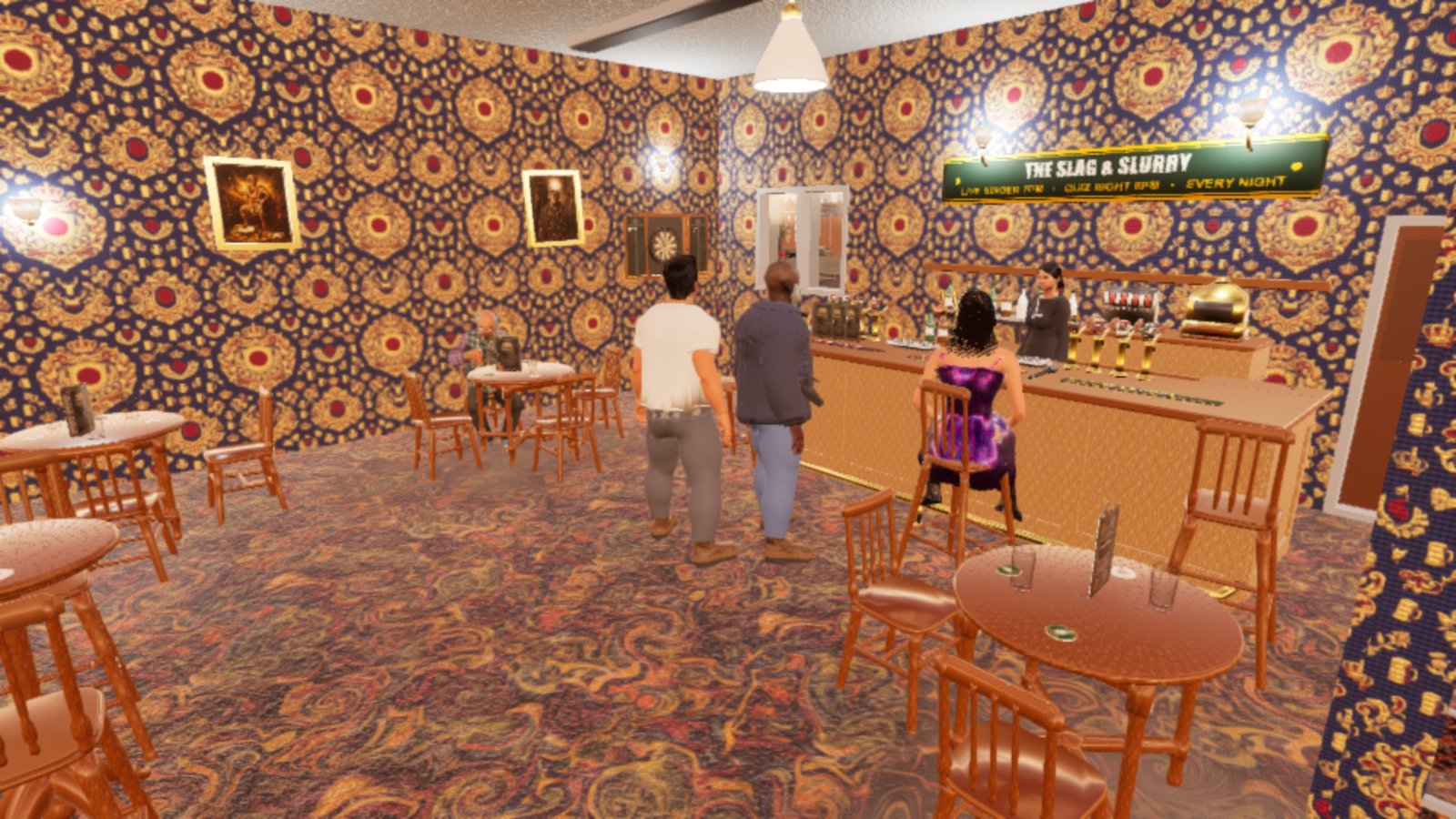
Most of Oakhaven was made in Blender: the terraces and semis of Radworth Road with every room inside them, the Slag and Slurry pub, the chip shop, street lamps, road signs, shop awnings and a six-storey Victorian hotel. Almost none of it was modelled by hand. Each piece is a Python script that builds it from measurements, so a change is an edit and a re-run.
This page is how that works, what we have learned to check, and where it falls down. We are good at buildings and at modelling objects from reference photos. We are not good at clothing, and we say why. At the end there is a free skill file, a simplified version of the one we use, written so it works for any indie game that uses Blender.
- Blender 5.1
- Blender MCP + headless
- Unreal Engine 5.8
- Every asset is a script
- Measure before modelling
- Probe the export scale
- Clothing: use free Fab assets
Where these facts come from
Everything here comes from our own build notes, written down as each problem was found. The scripts are written by an AI coding agent, Claude Code, driving Blender through an MCP server, and every result is checked by James by eye. Blender changes between versions; where a behaviour is version-specific we say which version we saw it in. Check the Blender manual for what it does now.
Why every asset is a script
A script keeps its measurements as named numbers at the top: wall thickness 0.25 m, storey 2.7 m, a bay 4 m wide. When James says a doorway feels narrow, the fix is one number and a re-run, and every house built from the same kit gets the fix. A hand-modelled mesh would need the change made again on every copy, and the next rebuild would throw it away.
Scripts also make the work checkable. A builder can print the size of what it made, count its faces, and refuse to export if something is wrong, which is how most of the traps further down were caught.
The cost is that sculpting does not work this way. Organic shapes, faces and cloth folds are gestural, and a script describes them badly. That is a large part of why our clothing failed.
Driving Blender with an AI agent
Our scripts are written by an AI coding agent, Claude Code, not typed by hand. There are two ways for an agent to control Blender, and we use both, for different jobs.
| Live, through the MCP server | Headless, from the command line | |
|---|---|---|
| What it is | The agent talks to the Blender you have open | The agent starts its own Blender with no window, runs a script, and it exits |
| Best for | Looking: inspecting a scene, small edits, viewport screenshots, quick questions | Building: whole kits, big meshes, exports, batches of renders |
| Risk | It works in your open file | None to your open file, if you pass the .blend explicitly |
Setting up the Blender MCP server
MCP (Model Context Protocol) is a standard way for an AI agent to call tools in another program. Blender's own lab publishes an official MCP server, which is the one we use. It has two halves: an add-on inside Blender that listens on a local socket, and a server that the agent talks to. It needs Blender 5.1 or later.
- Add the Blender Lab extensions repository. In Blender, open Edit > Preferences > Get Extensions, open the Repositories menu, and add
https://lab.blender.org/as a remote repository. - Install and enable the MCP add-on from that repository. It asks for network permission: that is the local socket the agent connects to, on your own machine.
- Connect the agent. In the Claude desktop app, the Blender extension installs from the extensions directory in a click. For any other MCP client, install the server with
pip install git+https://projects.blender.org/lab/blender_mcp.gitand add it to the client's MCP configuration. - Test it with a question, not a change. Open a file and ask the agent to list the objects in the scene. If it can answer, it is connected.
The server gives the agent tools to run Python inside Blender, summarise the scene and the file, screenshot the viewport and render thumbnails, and it carries the full Blender Python API reference and user manual, so the agent can look things up for the version you are running rather than guessing from older ones.
What works best live
- Inspect before you change. Have the agent read the scene, the names and the modifiers before it writes anything. Most bad edits start from an assumed scene.
- Ask for numbers back. Every call should return what it made: names, vertex counts, sizes. Then the agent can check its own work instead of describing it.
- Make it look. A viewport screenshot after each step catches what numbers miss.
- Keep calls small. Each call starts fresh, so objects are found by name, never by "the selected one". A heavy job in one call can time the socket out: ours did on a 64,000-triangle mesh.
- Some things need a real window. FBX export from inside an MCP call failed until it was given the 3D viewport's context explicitly. The sandbox also blocks resetting Blender to factory settings, and it is right to.
Running Blender headless
Most of our building is not done live at all. James usually has Blender open on his own work, so the agent builds in a separate background Blender that never touches his window. The command looks like this:
blender -b --factory-startup -P build_hedgerow.py -- --render
blender -b kit.blend -P build_kit.py -- --only Lamp --render out/
-b runs Blender with no window, --factory-startup ignores the user's own settings and add-ons so every run starts the same, -P runs the script, and everything after -- is passed to the script as its own arguments.
- One script, several modes. Our builders take arguments such as build, render, export or only-this-piece, so one file does the whole job and a single piece can be rebuilt on its own.
- Pass the .blend on the command line. A builder that saves to a fixed path, run from an empty scene, will save the empty scene over your file. One of our builders was written that way, and a run from an empty scene would have wiped the nine finished animals in its file.
- Render previews to a folder and look at them. A headless run is invisible otherwise, and a script that finishes quietly has not necessarily done anything.
- Headless Blender is not your Python. Its bundled Python has no image library, so our textures are drawn by a separate script first and loaded as files.
- Version names change. In Blender 5.1 the render engine name
BLENDER_EEVEE_NEXTis gone again, and a script using it dies at the very end of a long build. Check against the version you run.
The rule of thumb: live MCP to look and to make small changes, headless to build. Live is quicker to start; headless is repeatable, can run while you work, and cannot damage the file you have open.
The workflow, start to finish
- Gather references. Photos of the real thing, saved with their source and licence. For the housing estates that meant photos of real Nottingham streets of the right era.
- Write down the measurements before any modelling: from a standard, from a known size in the photo, or from a tape measure.
- Write the builder. A Python script with the measurements at the top, building the mesh from a small library of parts.
- Render and compare. Render from the reference's angle and put the two side by side. Fix the biggest difference first, and repeat.
- Probe the export. Export a box of known size, import it into Unreal, read its size back. Only then export the real thing.
- Import and assert. The import script checks the mesh's size against what it should be, and stops if it is wrong.
- Check it in the game. Look at it from where the player stands, walk through it, trace down onto its floors. Blender's viewport hides faults that the game shows.
Buildings: what we are good at
The house kit is a set of functions that each return a part (a box, a wall with openings cut in it, a floor slab with a hole for the stairs, a gable or hipped roof) into one collection, sorted by material. A house is a recipe that calls them. Eleven buildings came out of the first version of it, each with a full interior: hall, living room, kitchen, stairs that can be walked up, two or more bedrooms and a bathroom.
Things we now do on every building, each because leaving it out cost us a rebuild:
- One front, one origin. Every building faces the same way and has its origin on the same corner, so placing one in the town is the same code every time.
- Doors are separate meshes with the pivot on the hinge, so the game can open them.
- Walls stop short at the corners. The inner skin of each wall is inset at its ends, and floors are inset slightly from the walls, or two surfaces fight over the same pixels and flicker.
- A wall's openings are measured along that wall. A wall running north to south takes its windows as north-to-south ranges. Mix the axes up and the window lands in the next room.
- Roofs are sealed, dormers included, or daylight leaks in at the eaves.
- Flood it. A building passed every doorway-width check we had and still could not be crossed. Now a fill runs from the front door across the walkable floor and every room must be reached.
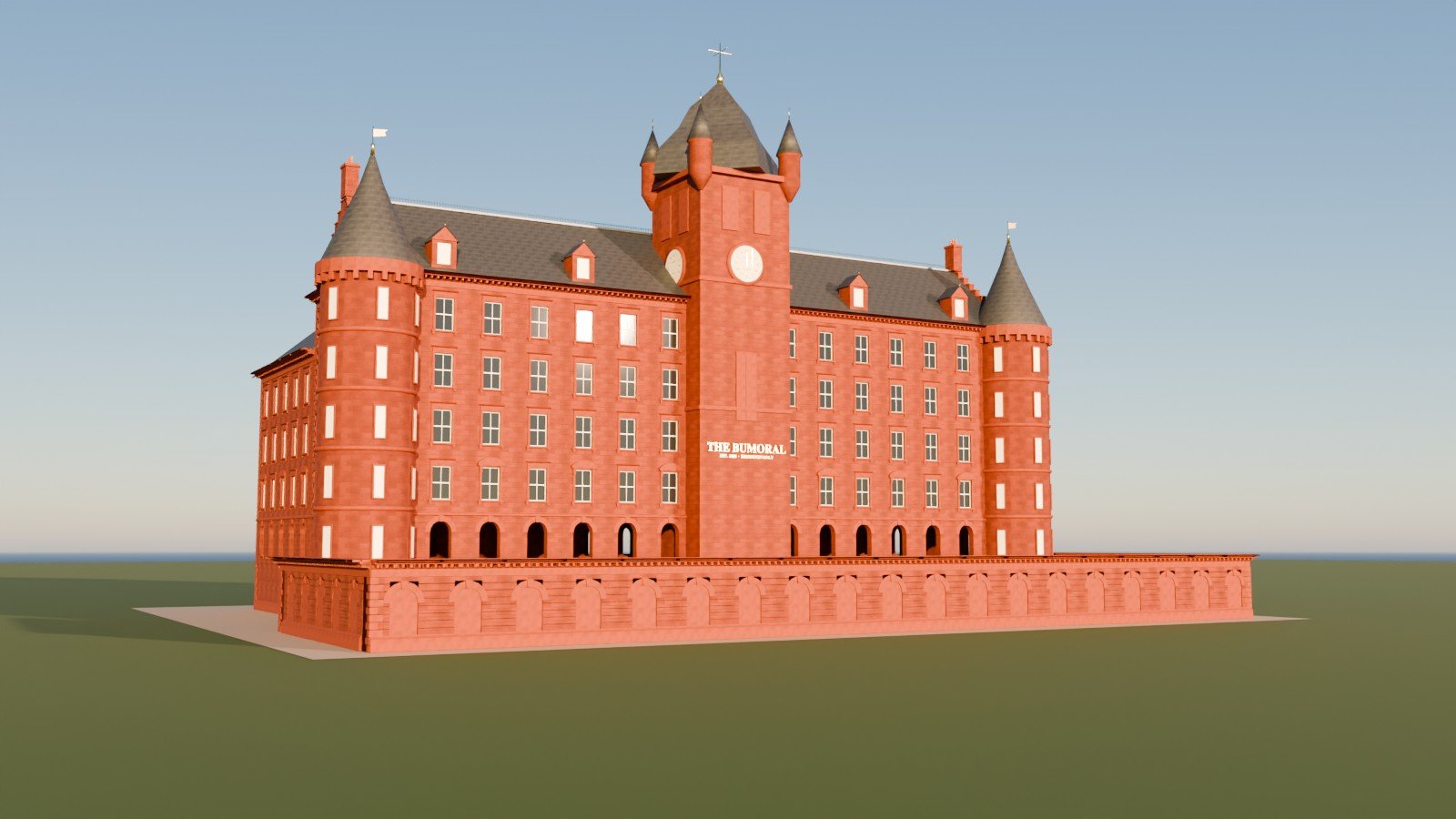
The same approach scales to big, repetitive buildings. The Bumoral hotel is a kit of about fifteen bay meshes, combined into a front with turrets, a clock tower and a long arcaded wall. It was built in an afternoon because the work was in the kit, not in the copies.
Inside the buildings
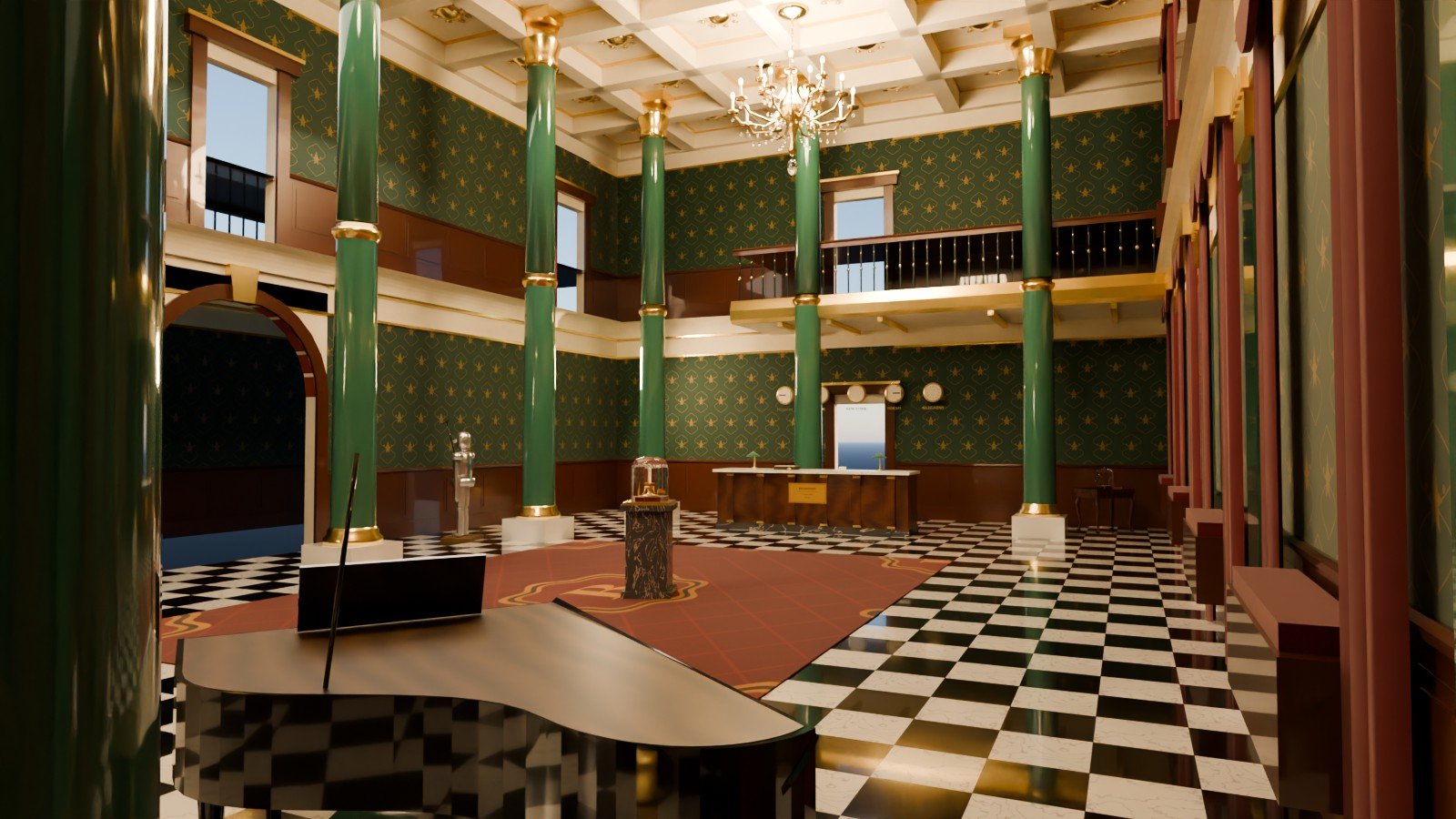
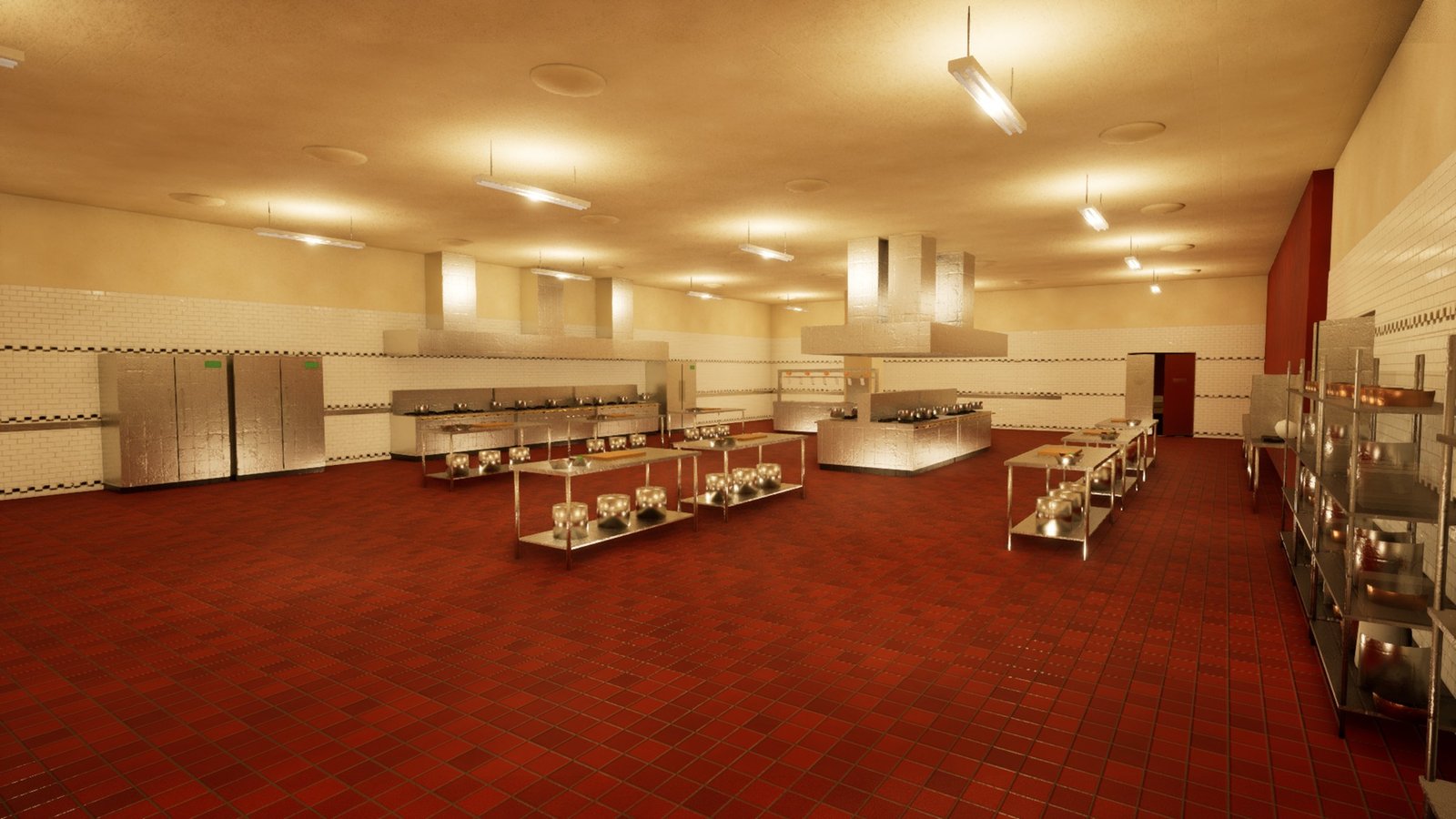
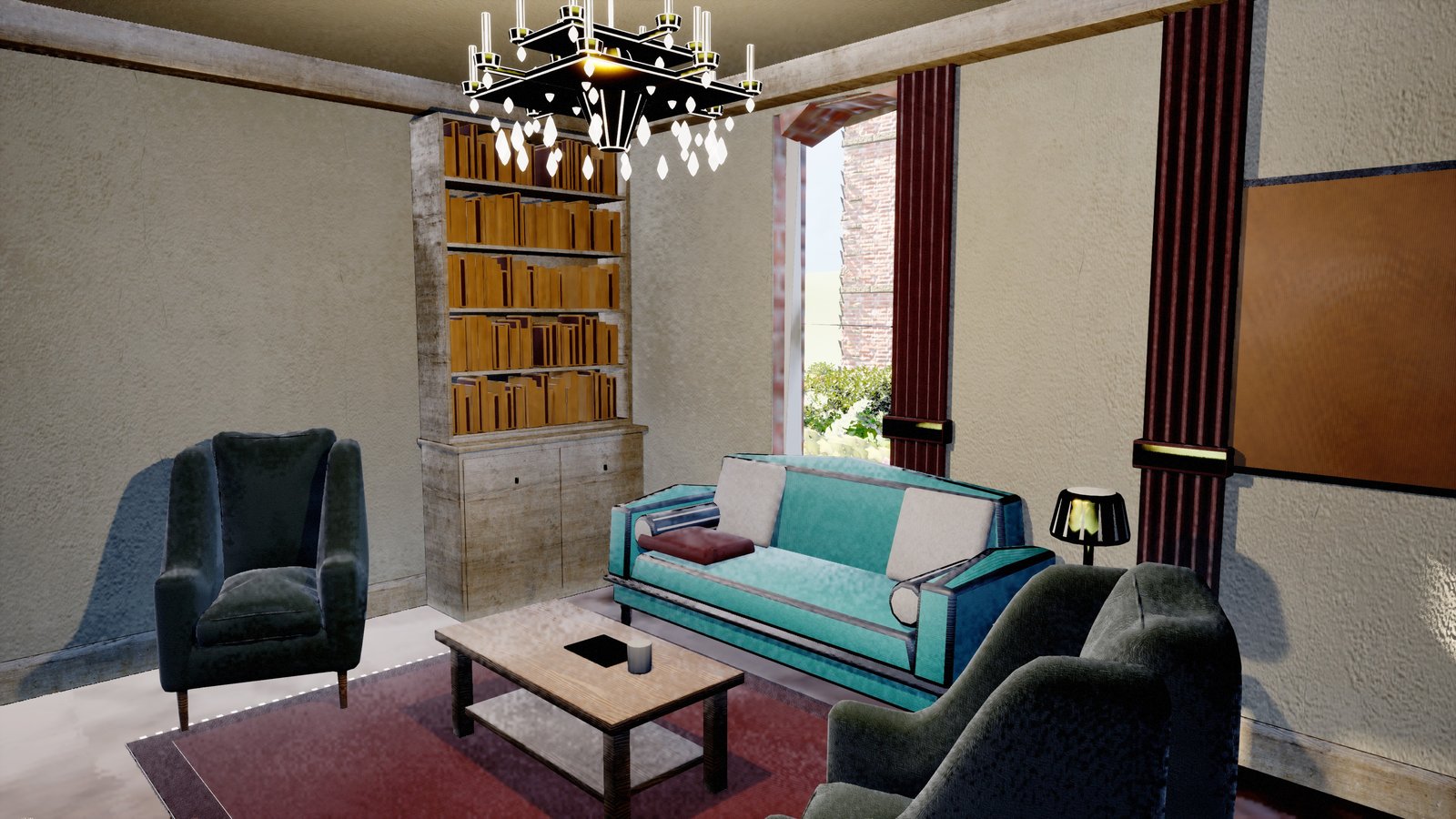
The buildings are not shells. The same scripted approach furnishes them: a furniture kit drawn in Blender, and a script in Unreal that places it room by room. On the upmarket estate that came to seven and a half thousand pieces of furniture, ornament, curtain and lamp across forty-eight homes, every one placed by a script. These are the busiest rooms we have captured.
Modelling from a reference photo
This is the other thing we do well: a bus shelter from a photo of a real one, a street lamp built to the UK regulations, awnings coloured from the shops' own signs, a police light bar, a hung fish over a chip-shop counter.
- Find the size first. Use something of known size in the picture (a door is about 2 m, a brick course 75 mm, a kerb 125 mm) and scale everything else from it.
- Name the three axes of anything long: its length, its broad face and its thin edge. Turn it so the player sees the broad face. A blade seen edge-on looks like a pole.
- Overlap the parts. Two parts that only just touch leave a visible line. Pushing them 5 to 15 mm into each other hides the join inside the bigger part.
- Hollow means one surface. A bowl built as a small solid cylinder inside a big one renders full. A hollow object is one profile that goes up the outside, over the rim and back down the inside, spun round.
- Compare, do not describe. A model is finished when its render matches the photo side by side, not when its description sounds right.
Getting it into the engine
This is where most of our time has been lost, because nothing in this step errors. Everything simply arrives wrong.
The scale trap. Blender works in metres and Unreal reads the numbers in an FBX file as centimetres. The right export settings to bridge that have changed under us: in Blender 5.1 an extra hundred-times scale that had shipped the pub correctly for months suddenly made it a hundred times too big, 535 metres long. A pair of glasses shipped seventeen metres wide. Worse, the same file with the same settings has needed different answers before and after a restart. So we stopped trusting any recipe. Before exporting, we export a box of 0.5 by 0.3 by 0.2 metres (three different sizes, so a swapped axis shows as well), import it, and read it back. Unreal must say 50 by 30 by 20.
assert 5 < max_extent < 500, "imported at the wrong scale"One line like that in the import script has caught it every time since.
Floors that point down. Blender's viewport shows both sides of every face, so a floor whose top faces downward looks perfect there. In the game it was invisible from above and had no collision: the player walked into a shop and stood on the grass underneath it. We now trace down onto every floor in the engine after import.
Texture scale. Blender's automatic unwrap scales every object's texture space to fill the same square, whatever its size, so one grime texture looked enormous on a urinal and like static on a soap dispenser. We rescale the UVs by each object's real surface area, so one tile always covers the same distance.
Signs that read backwards. The import can flip a texture in two separate ways. If the letters come out in reverse order, it is one axis; if the order is right but each letter is mirrored, it is the other. Read which one the render shows before changing anything.
Clothing: what we are not good at
For a while every resident of Oakhaven wore clothes we made in Blender, built by script around the MetaHuman body. They worked, and they did not look good enough. Put next to clothing bought on Epic's Fab marketplace, made for MetaHumans by people who do it for a living, ours lost every time. In October James ruled that every Blender-made garment is to be swapped for a customised Fab one. One outfit was kept because it looked fine.
Buildings and hard objects: things with straight edges, known measurements and parts that can be described in numbers.
Clothing: soft shapes, folds that depend on the body inside them, and a skeleton that moves.
The ways it went wrong were specific, and worth knowing if you try it:
- It looked right until it moved. A garment exported at the wrong scale looked perfect standing still and collapsed to a hundredth of its size the moment an animation played. Another set of clothes stood frozen while the body walked on, because its root bone did not match. A still picture proves neither; only a capture of the character moving does.
- Logos vanished. A print put on the wrong material slot was simply invisible, with no error.
- Scripts are bad at folds. The parts that make clothing look real (drape, creases, the weight of fabric) are exactly the parts that are hard to describe in numbers.
That list is the honest extent of it: the only things we can say with certainty about clothing are what does not work. So our advice is not a method. Do not build clothing from scratch. Start from a free garment on Fab made for your character system, and customise it: recolour it, swap its textures, add a logo, adjust the fit. Check each asset's licence allows it in your game. If you adjust it in Blender, the export rules above still apply, and only a capture of the character moving proves it works.
The free skill file
A skill file is a set of instructions an AI coding agent loads when a task matches it. Ours for Blender has grown long and full of notes that only matter to this project. This is a cut-down version with the project-specific parts taken out, so it applies to any indie game that uses Blender, in any engine.
It covers: building by script, the parts builder for buildings, modelling from a reference photo, the modifier order, hollow objects, texture scale, normals, the export scale probe, how to drive Blender live and headless, and on clothing, only what failed and the advice to customise a free Fab garment instead.
blender-game-assets / SKILL.md
Plain text, free to use and adapt. To use it with Claude Code, save it as .claude/skills/blender-game-assets/SKILL.md in your project. It also reads fine on its own as a checklist.
What we have not solved yet
- Why the export scale changes between sessions of the same file. We probe it every time instead of explaining it.
- Most buildings are still flat colours. The texture pass is ahead of us, and the texture-scale fix above is the only part of it that has been tested at scale.
- Some early house meshes were exported before the downward-floor fix and may still carry it. They will be rebuilt if their interiors are ever used.
Further reading
In the devlog
- Residents Only - the Bumoral hotel, built in Blender as a kit
- Party Wall - houses from the kit
- The Box That Was Not a Box - an inside-out box and a jacket logo
- Four Sessions Down to One - the MetaHuman clothing pipeline, before it was retired
- Every devlog entry tagged Blender
Official sites
Watch the town come together
Second Chance is a British open-world life sim, built by one developer in Unreal Engine 5.8. The demo goes to the list first, before it goes anywhere else.
Join the list