Eleven in the Morning
The complaint was one sentence: daytime looks the same as night. That is the kind of bug report I like, because it is unambiguous and it is obviously true the moment you look at a frame. What it is not is a hint about the cause.
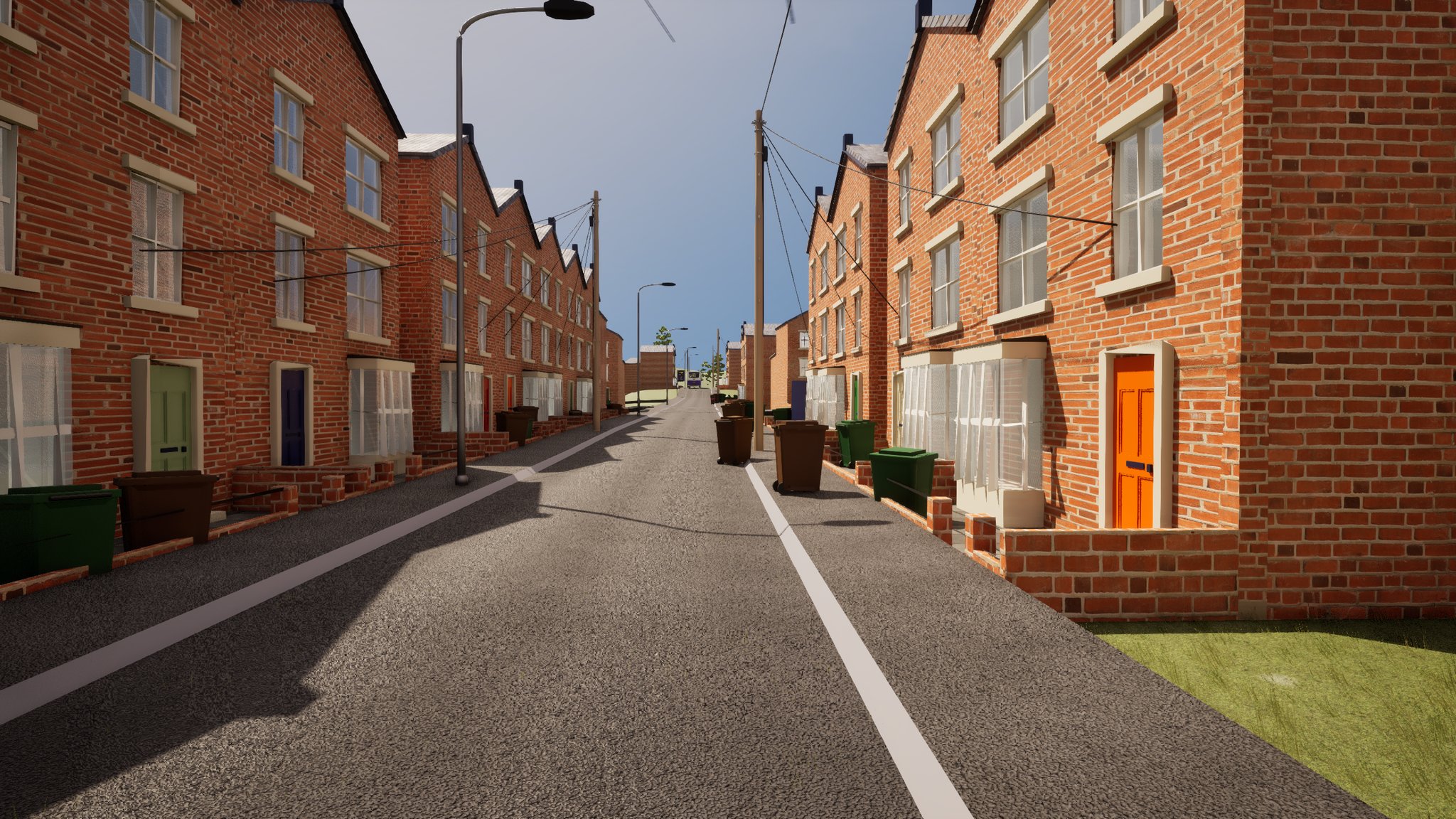
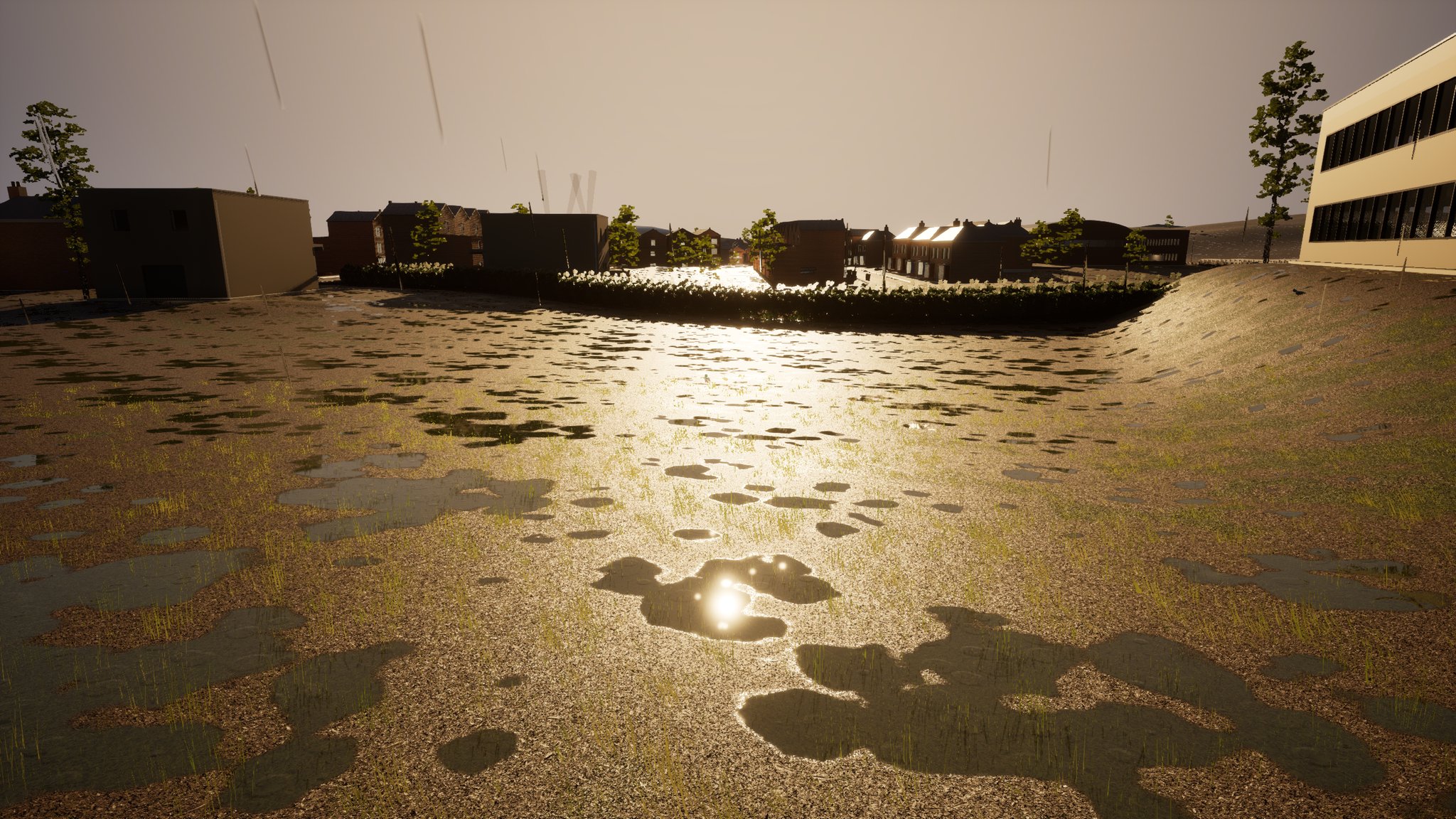
I captured the street at 11:09 in the morning, game time. Black windows, a road that was nearly black, brick that was barely lit. It read as dusk. Every instinct says colour grading
- go and look at the post-process. That instinct was wrong, and following it would have
cost a day.
What we were trying to do, and why it mattered
The game runs a clock. There is a sodium street-lighting pass for night, a day/night manager that sweeps the sun, and interiors - a pub in particular - that were individually lit and signed off. What was missing was the thing that makes any of that legible: a daytime that actually looks like daytime, so the night look has something to be dark relative to.
The specific ask was a UK daytime camera preset, a night look after sunset, and a gradual transition between them. Only the first of those is this entry.
The tools and the method
Blueprint-only project, driven through two editor automation servers into a live Unreal session - one for Blueprint graphs and assets, one for editor Python, actor properties and PIE. Everything below was done by script or by measurement in a running game, not by dragging sliders and squinting.
The measurement loop is: change one thing, capture the viewport, look at the frame, and where possible read pixels numerically rather than eyeballing them. That loop has two traps in it and I hit both, which is most of why the early hours looked random.
The trap: the scene is dim and the camera is hiding it
The symptom, in the words you would type into a search box: my daytime scene looks the same brightness as my night scene, and changing the exposure settings does not seem to make a consistent difference.
Two facts, found by reading the actors rather than by looking at pictures.
The directional light was set to 10 lux. Real daylight is somewhere around 100,000 lux. UK overcast is roughly 15,000 to 20,000; a bright day is around 75,000. The scene was therefore lit at about one ten-thousandth of daylight, and had been for the whole project, because every interior had been calibrated against it and nobody had had a reason to question it. There is a second reason it stayed at 10, and it is worth its own paragraph below.
There was no unbound post-process volume outdoors at all. The pub had one, bounded to the pub. The night sodium grade had one, but its blend weight is driven by the clock and sits at zero in daylight. Outdoors, the renderer therefore fell back to its default automatic exposure with a full adaptation range.
Put those together and you have the actual mechanism. Automatic exposure re-normalises a bright scene and a dark scene to the same mid grey. That is its entire job. If nothing constrains it, a scene at 10 lux and a scene at 100,000 lux produce the same average image. Day was not brighter than night because the camera was cancelling out the difference. The lighting was wrong and the metering was hiding the fact that the lighting was wrong.
The experiment that proved which half was broken
It is not obvious from the frame whether a dark image means "genuinely dim scene" or "badly metered scene". There is a clean test, and it is counter-intuitive.
I clamped the exposure floor to a fixed value and the daytime frame got markedly darker, not brighter. That is the proof. The floor is a limit on how far the camera is allowed to brighten; setting it above the scene's true luminance forces under-exposure. So the true daytime luminance sat well below the floor I had chosen, which means the scene was genuinely dim. You cannot brighten a scene by clamping exposure - clamping only stops the camera compensating. If clamping the floor darkens the picture, the light is the problem.
Raising the sun, and the ceiling I did not know was there
Raising the sun by a factor of several thousand sounds like it should invalidate every interior in the game. It did not, and the reason is structural: each interior is made sun-independent by clamping its own bounded post-process volume narrowly, at a higher priority than anything outdoors. The pub meters on its own terms. Only the step between outdoors and indoors changes when the sun moves. That property was built for a different reason and it is what made this pass affordable.
So I raised the sun to 20,000 lux, and got an on-screen error and a black frame. The renderer caches lighting for Lumen and the real-time sky capture against a pre-exposure value, and there is a hard safe range on that - the warning quotes it. My scene had gone past the top of it. Scene exposure has a ceiling, and exceeding it does not degrade, it fails. Unless you raise the corresponding console variable in the engine config, you stay under it.
The sun settled at 3,500 lux, 5,700 K, movable, marked as the atmosphere's sun light, which clears the warning. That is not a physically real daylight figure. It is the brightest the renderer would tolerate in this configuration, and everything else was calibrated to it.
The second change is the one that actually bought realism. The sky light was stationary, at a fixed intensity, which means ambient light was a constant with no relationship to the sun. I switched it to movable with real-time capture, sourced from the captured scene. Ambient is now derived from the sky atmosphere lit by the actual sun, so the sun-to-sky ratio is physically consistent and follows the day/night cycle for free instead of being a hardcoded ratio that is only correct at one time of day. Its intensity value stops being a brightness and becomes a multiplier on a derived capture. This does reach interiors, unlike the sun, so the pub is owed a re-check that I have not done.
Getting the exposure window right, which took several wrong answers
With the sun sane, the exposure window had to be authored rather than left free. I got there badly. The sequence of guesses, honestly: a "safe" low window that was far too dark; a high window that was far too bright; a floor experiment that blacked the frame; a spell with the overrides switched off entirely and only a negative bias applied, after the user reported the outdoors had gone blown-out white.
The method that finally worked is to anchor the window to the sun instead of guessing it. Take an 18% grey card in direct sun, convert illuminance to luminance, convert luminance to an exposure value. At 3,500 lux that gives about 10.6. On horizontal ground with the sun 30° up, the illuminance is halved and you get about 9.6. So a correct daytime scene lives between those two numbers, and that is the window that shipped: 9.6 to 10.8, no bias, histogram metering, adaptation quicker going up than coming down. The user's verdict, the same day: that's great, you have perfected it.
Two things had made every earlier attempt look random, and both are measurement faults rather than lighting faults.
A one-shot capture lies while eye adaptation is still moving. Consecutive captures disagreed by far more than the setting change between them justified, because each frame was caught mid-transition. The fix is to tune with the minimum and maximum pinned to the same value, which applies instantly and cannot drift, then open the window once the centre is right.
Judge on a surface the sun actually reaches. I spent time on a test frame pointed at a shopfront that faces away from the sun. That facade is in shadow and reads dark correctly. A dark frame there is not evidence of anything.
There is a third, cruder one: several of these captures carried an on-screen video-memory-exhausted warning. When that happens the renderer silently drops meshes, so the frame you are metering is not the scene you think it is. Any brightness judgement from a frame like that goes in the bin.
Two dials for the sun's arc, and one trick worth stealing
While the sun was open, it needed fixing in a second way. The existing arc drove pitch straight from the clock, sweeping the sun through the zenith at midday. That is an equatorial sun, not a Midlands one - the UK sun peaks around 60° midsummer and 15° midwinter, and it tracks across the southern sky rather than going overhead.
The naive fix, shrinking the multiplier on the clock term, breaks sunrise and sunset: the sun would never reach the horizon at the right hour. The trick is that the existing term already sweeps 0 to −180 across the daylight hours, which is exactly the degree argument a sine wants. So pitch becomes a peak elevation multiplied by the sine of the term that was already there. Sine is zero at both ends, so sunrise and sunset timings survive unchanged while the peak is capped wherever you like.
That produced the first instance-editable dial, the height of the arc. The second is the compass bearing the sun sits at noon, derived from the same term with no need to re-extract the hour, so the arc swings 90° either side of it. Between them the shadows now rotate through the day as well as lengthening, and rotating one number puts the sun down the street or across it. Months later, that noon-bearing dial turned out to define the map's compass convention - the noon sun is due south, so world north falls out of it, and the astronomical night sky built later is oriented from exactly that number.
One trap in the wiring: there were two rotator constructions driving the sun in that graph, on separate execution paths. Fixing one and not the other leaves them silently disagreeing depending on which path ran.
Two silent failures in the tooling, both of which cost time
Writing to a post-process volume's settings struct does nothing. Editor Python hands the settings back by value. Setting a property on the returned object succeeds, reports success, and changes nothing. You have to take a copy, modify it, assign the whole struct back to the actor, and then read the value back off the actor rather than off your copy. Every "I changed it and nothing happened" in this pass traced to that.
Never dim the sun to preview night. The day/night manager only ever rotates the sun; it never sets its intensity. So dimming the directional light to see what night looks like is a permanent, silent edit to daylight that no runtime system will ever undo. That is a plausible history for how the sun came to be at 10 lux in the first place. The guard is a night-preview script that stashes the real values before it changes anything and restores them afterwards, and a standing rule: to preview night, rotate the sun, do not dim it.
Related: the editor viewport renders every local light in the level with no proximity culling - well over a hundred of them here - so editor night captures read much brighter than the game does. Brightness gets judged in a running game, not in the viewport.
The number that does not travel
A week later I did the same pass on the open-world level and assumed I could port the answer across. I could not. The correct window there measured about two and a half stops away from this one, and the value that shipped on the street rendered that level nearly black. The analytic estimate was optimistic there in the same way it had been optimistic on an interior earlier - real surfaces are darker than the arithmetic's assumed grey.
The same pinned-exposure bracketing diagnosed it in one step, and it also settled a different argument on that level: a washed-out, milky frame that everyone assumed was a fog problem turned out to be a metering problem, because pinning the exposure turned the identical frame near-black with the fog untouched.
What is not finished
The interiors have not been re-checked since ambient became a real-time sky capture, and ambient - unlike the sun - does reach them. The night half of the original request was scoped here but calibrated much later, and on the other level. And the final daytime window was approved by eye, by the person who has to look at it; I never went back and read the scene's own exposure value off the renderer's debug view to confirm the arithmetic independently.
What to take from it
- If clamping the exposure floor makes the picture darker, the scene is genuinely dim.
Clamping never adds light; it only stops the camera compensating. That one experiment separates a lighting bug from a grading bug in about a minute.
- Unconstrained automatic exposure will erase your day/night cycle. Two scenes four
orders of magnitude apart in real luminance both come out mid grey. If day and night look the same, suspect the metering before the grade.
- Tune with the exposure minimum and maximum pinned equal. A one-shot capture taken while
adaptation is still moving disagrees with itself, and you will conclude your settings are behaving randomly.
- Judge on a surface the sun reaches. A dark frame pointed at a shaded wall is correct
and tells you nothing.
- Exposure has a hard ceiling in the renderer. Past it you get a warning and a black
frame, not a gentle rolloff. Find out where it is before you start raising lights.
- Do not port exposure numbers between levels. Bracket by measurement each time. The
analytic estimate got me the right neighbourhood once and was two and a half stops out twice.
- **Narrowly clamped, higher-priority volumes are what make a global lighting change
affordable.** Because every interior metered on its own terms, the sun could move by a factor of 350 without invalidating an afternoon of interior lighting work.